Install TwoWork on your phone
Add TwoWork to your phone's home screen in a few taps, no App Store download needed.
Want easier access to TwoWork? Add it to your home screen in just a few taps and you'll be able to register your time with just one tap - just like a real app! It works the same way on iPad and Android tablets. Once installed, you stay logged in - no need to sign in again every shift.
iPhone Setup
Important: On iPhone, this only works in Safari. Chrome and Firefox on iOS don't have an "Add to Home Screen" option.
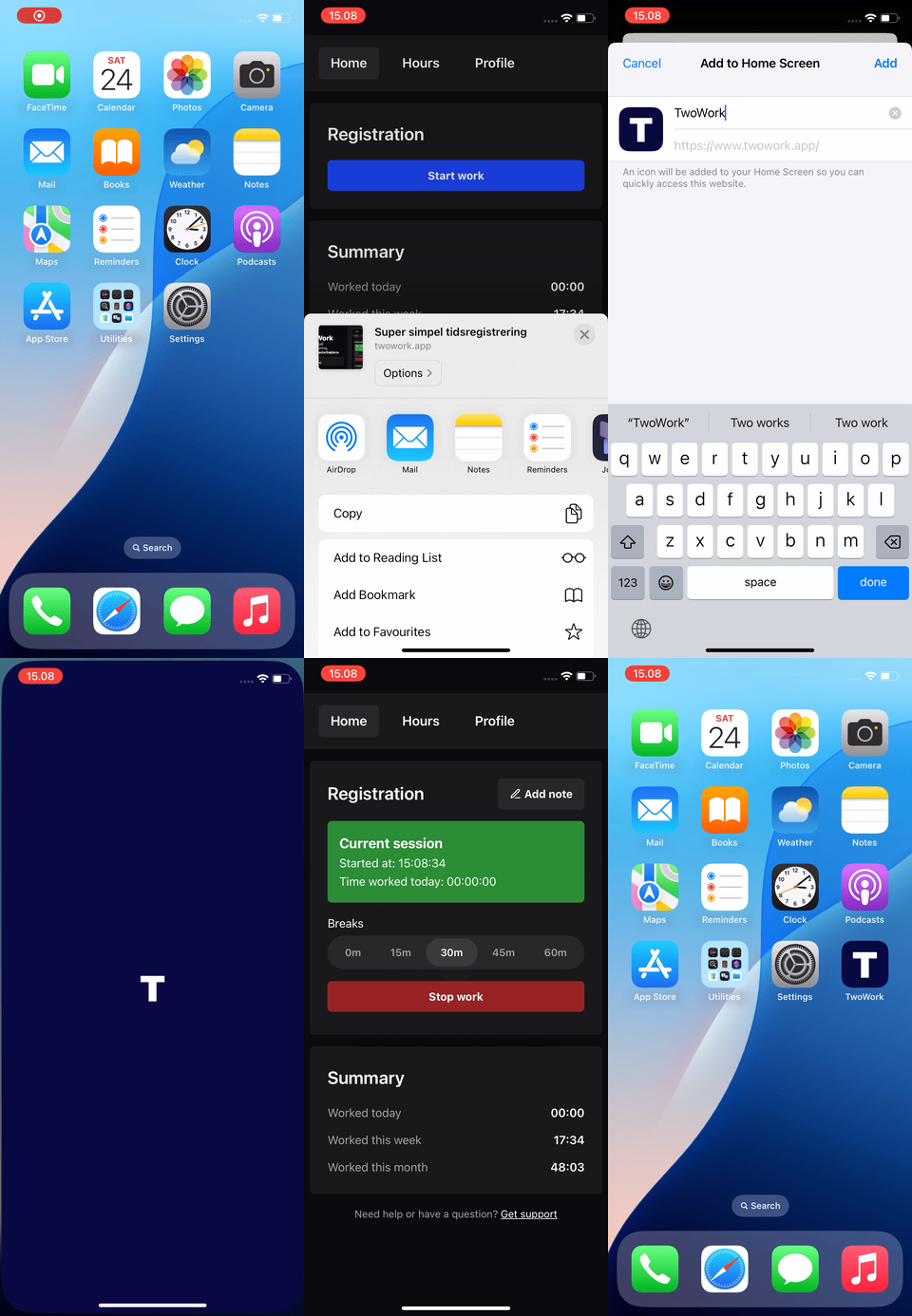
- Open Safari and go to TwoWork.app
- Tap the three dots (•••) in the lower right
- Tap "Share"
- Tap "More"
- Tap "Add to Home Screen"
- Tap "Add" and you're done!
Android Setup
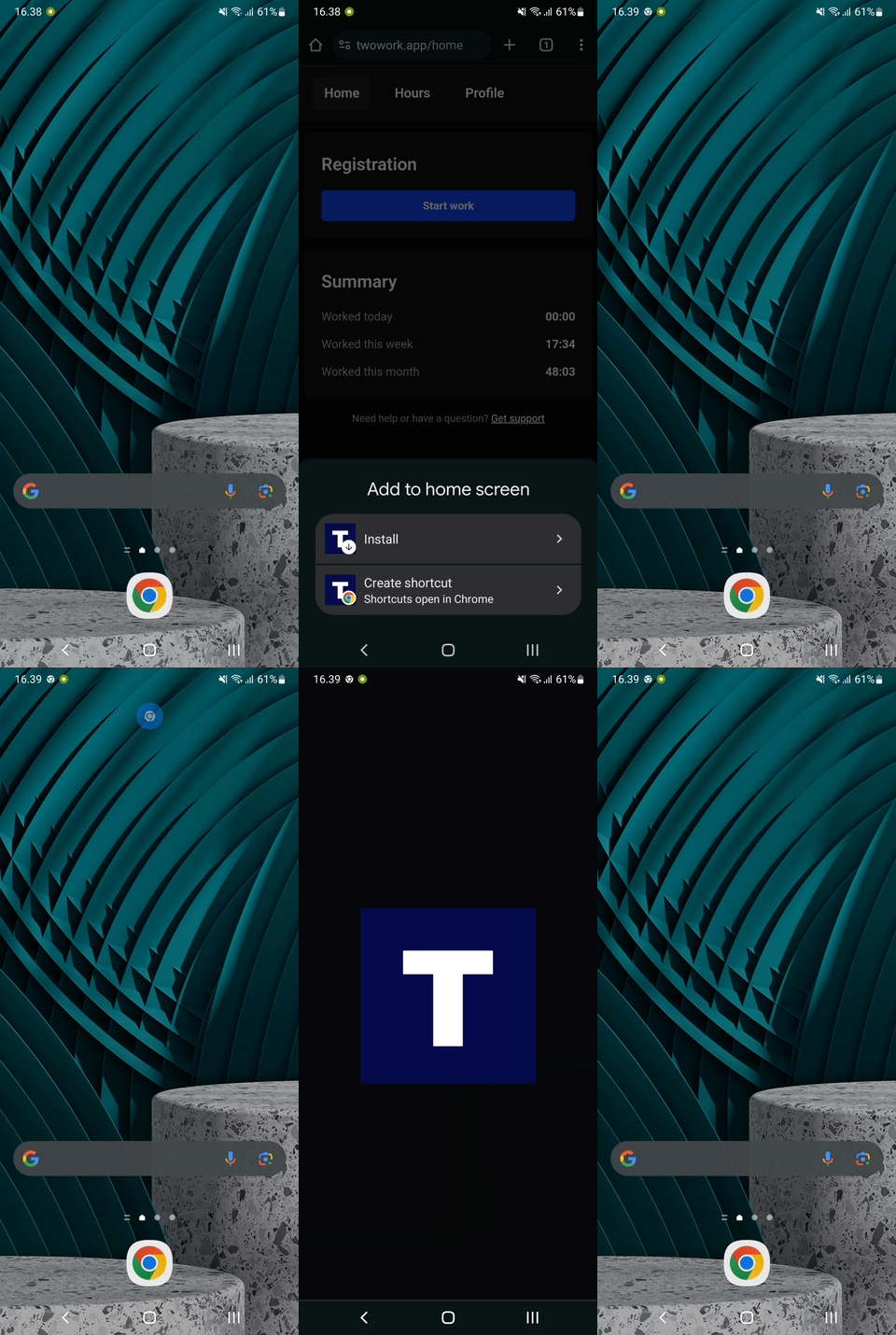
- Open Chrome and go to TwoWork.app
- Tap the menu (⋮) in the top-right
- Tap "Add to Home screen"
- Tap "Add" and it's ready to use!
Why don't you have a "real" app?
Using a webapp (or "PWA" to be exact) lets us give you a better experience: we can update TwoWork multiple times a day instead of waiting days for App Store reviews. You also don't need an App Store or Google Play account, there's no large download, and it works the same on every device.